Release Notes

New updates and improvements to Minikai.

Minikai Portal, stop button & smoother long chats

The new Minikai Portal gives you per-workspace insights, usage, and billing in one place. Plus you can now stop the agent mid-response, and a long list of reliability fixes across chat, citations, and exports.

What's New

  • Minikai Portal — a new customer dashboard at portal.minikai.com with Insights, Usage, and Billing for your workspace.
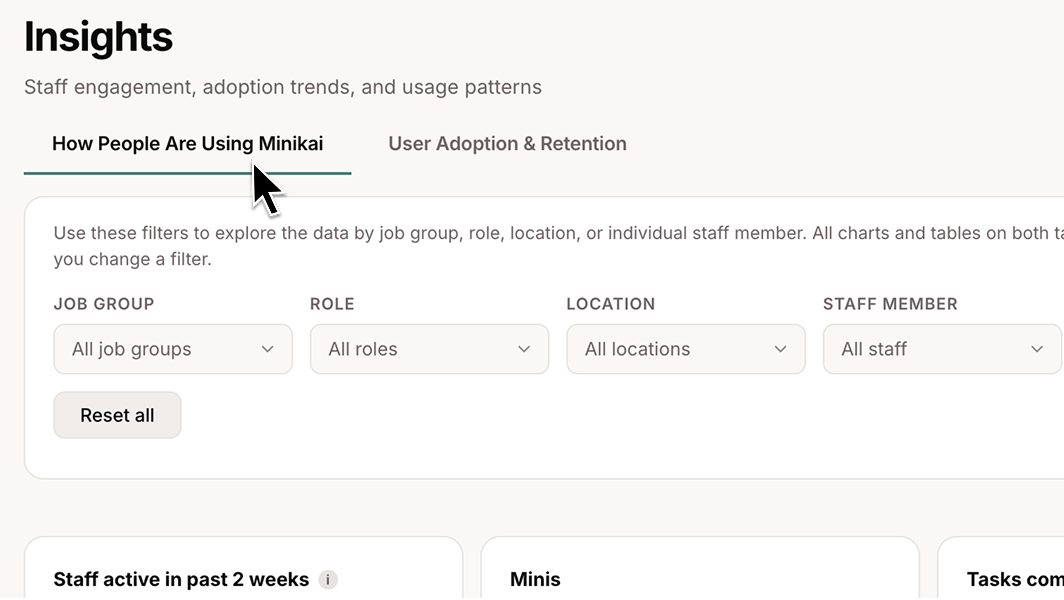
    **Minikai Portal** — a new customer dashboard at portal.minikai.com with Insights, Usage, and Billing for your workspace.
  • Stop button in chat — interrupt a streaming response at any point instead of waiting for it to finish.
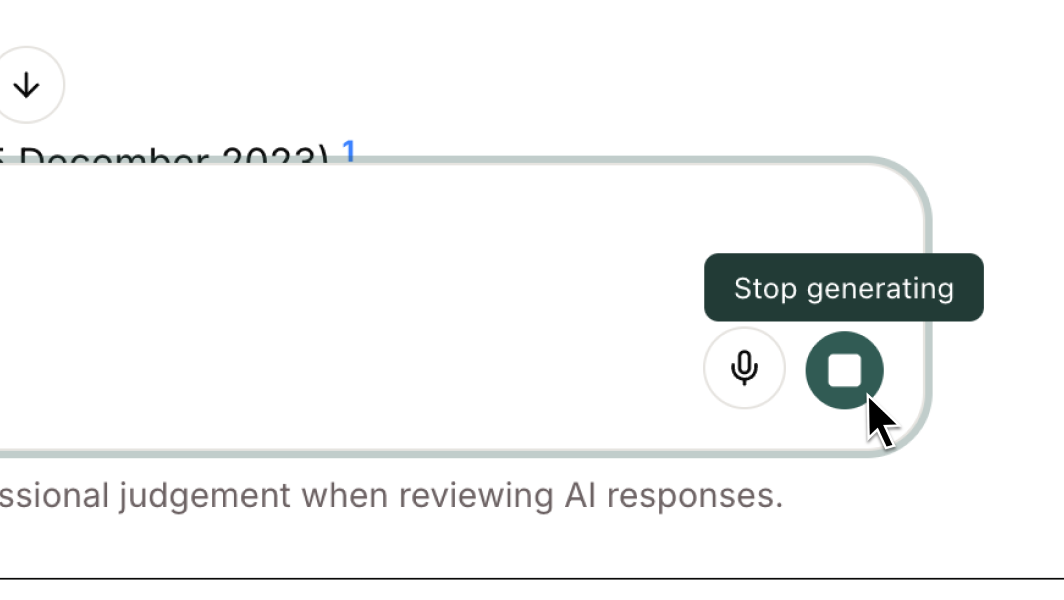
    **Stop button in chat** — interrupt a streaming response at any point instead of waiting for it to finish.
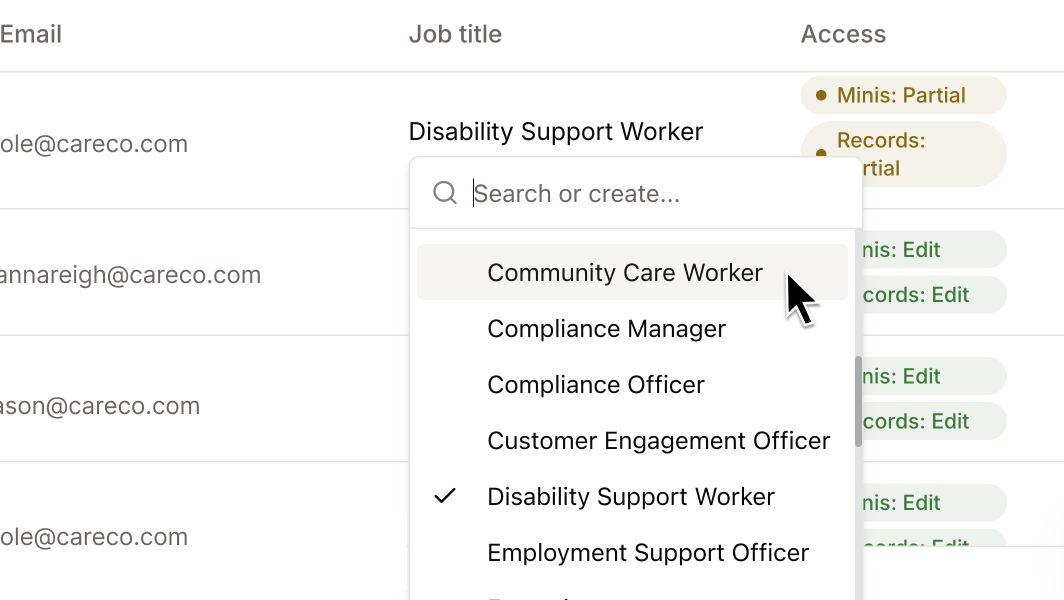
  • Job titles in the users table — automatically populated from your identity provider, so filters and search work without manual entry.
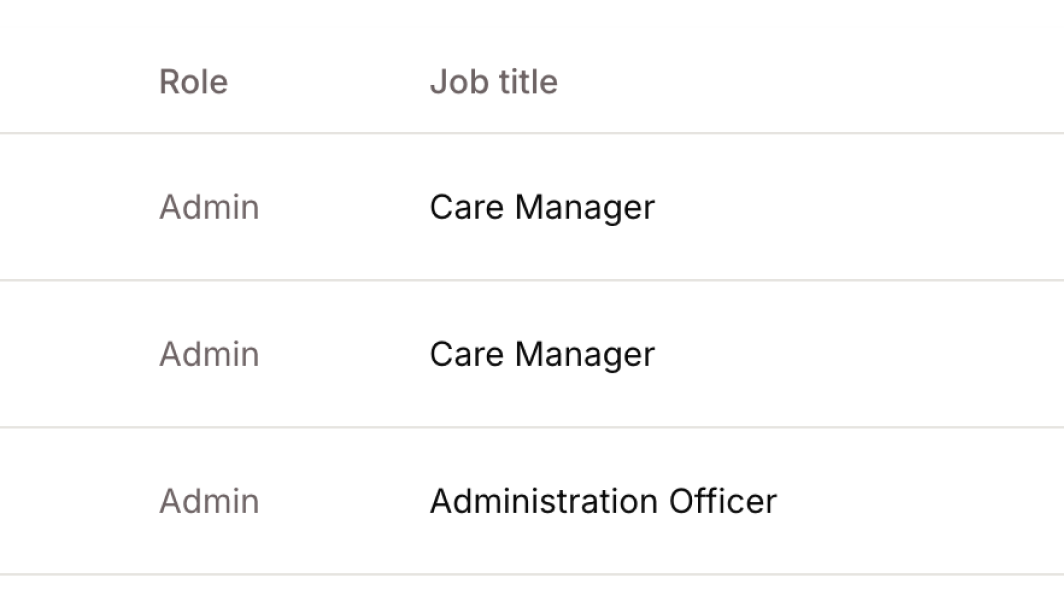
    **Job titles in the users table** — automatically populated from your identity provider, so filters and search work without manual entry.
  • Last active column in the users table, so admins can see who is using Minikai at a glance.

Improvements

  • Long AI responses no longer drop out — chat streams stay alive end-to-end, even for lengthy answers.
  • Smarter workspace agent — now uses tools more proactively and no longer hallucinates Mini IDs when querying across Minis.
  • Clearer error messages when you hit rate limits or budget caps.
  • Higher-quality Word document exports — headings, tables, and colours render more accurately.
  • Directory sync & audit log streaming inline — admins can configure both directly in the app instead of bouncing to an external portal.
  • More reliable bulk imports — fewer throttling errors when loading large record batches.
  • Larger uploads supported — attachments up to 500 MB.
  • Fine-grained authorisation groundwork — continued preparation for label-based, per-user permissions ahead of general release. Not yet switched on — we'll let you know when it is.

Bug Fixes

  • Fixed chat freezing during long streaming responses.
  • Fixed chat messages being reset when opening or closing a generated document.
  • Fixed citations failing to load on older chats.
  • Fixed copy/download from the document panel leaving citation markers in the exported text.
  • Fixed images occasionally failing to load in chat.
  • Fixed large file uploads failing silently.
  • Fixed users table pagination not resetting when changing filters.
  • Fixed speech transcribe failing for admin users.
  • Fixed external sync overwriting existing Mini details.
  • Fixed job title filter options not refreshing after a change.
  • Fixed retry on regenerated responses.
Fine-grained authorisation & custom user management

A complete authorisation overhaul — Minikai now supports label-based, per-user access control for both Records and Minis. Plus a fully custom user management experience, chat message feedback, and interactive document generation.

What's New

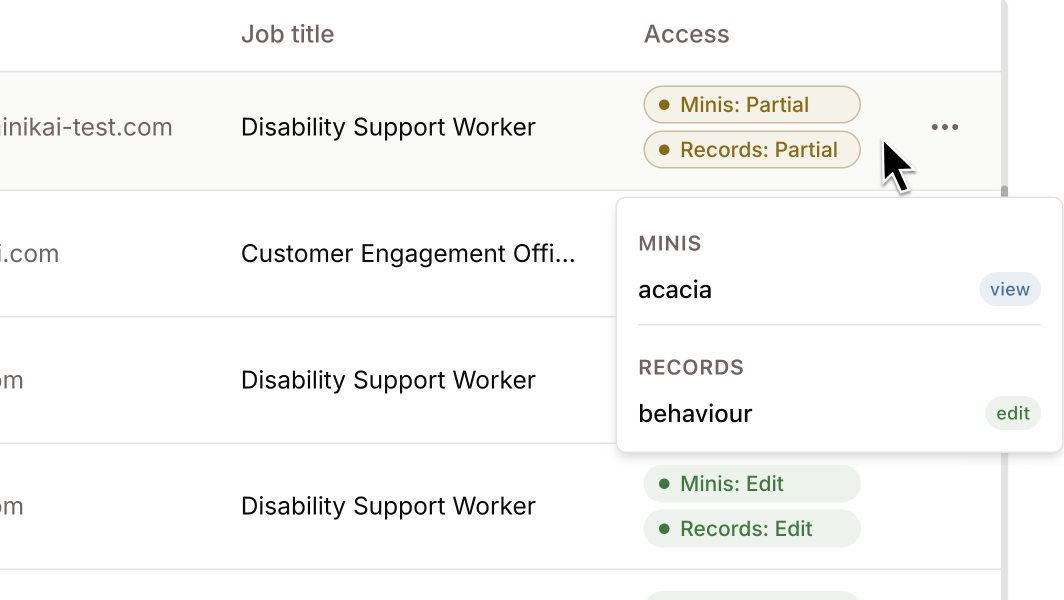
  • Fine-grained authorisation (FGA) — admins can grant users view, edit, or delete permissions on specific labels (e.g. "Medical", "Incident Reports"), controlling exactly which records and Minis each team member can see and modify.
    **Fine-grained authorisation (FGA)** — admins can grant users view, edit, or delete permissions on specific labels (e.g. "Medical", "Incident Reports"), controlling exactly which records and Minis each team member can see and modify.
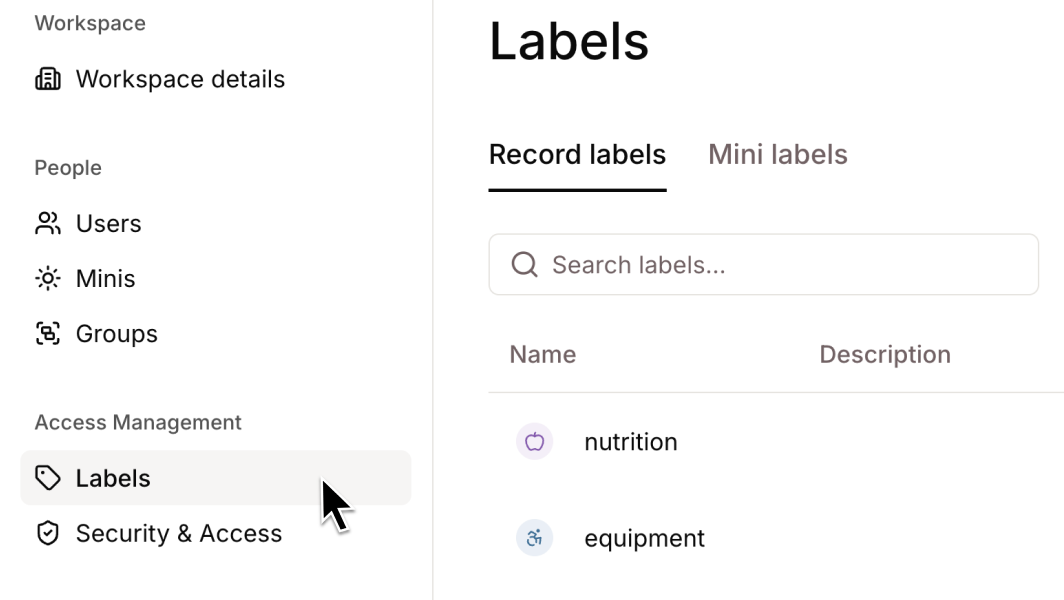
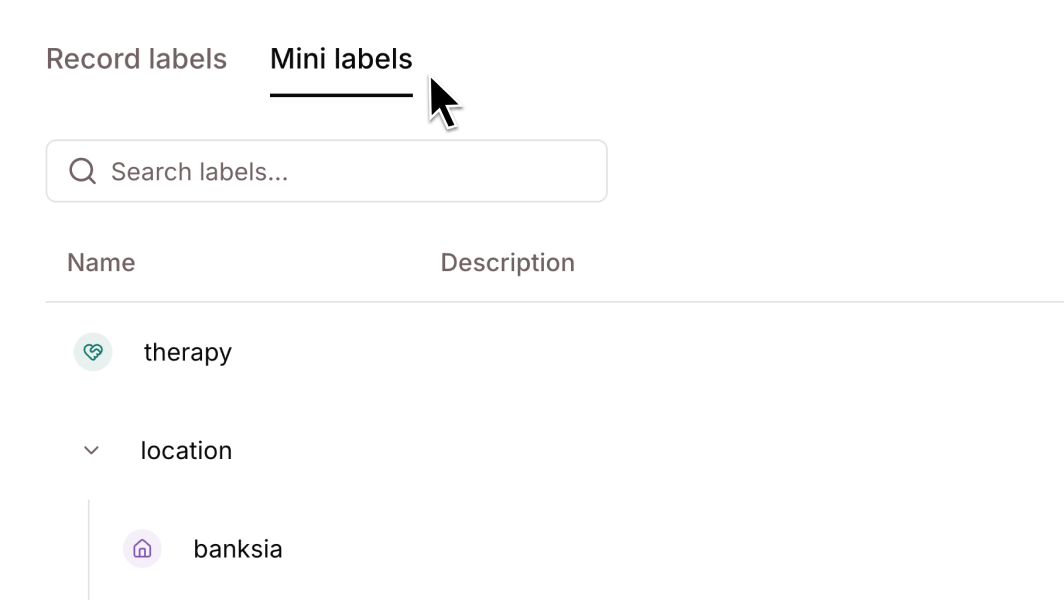
  • Labels admin UI — a new workspace admin page for managing labels and label groups, separated by resource type (Record/Mini) with inline create, edit, and delete.
    **Labels admin UI** — a new workspace admin page for managing labels and label groups, separated by resource type (Record/Mini) with inline create, edit, and delete.
  • User permission management — the users table now includes per-user FGA assignment editing, so admins can view and modify label-scoped permissions directly.
    **User permission management** — the users table now includes per-user FGA assignment editing, so admins can view and modify label-scoped permissions directly.
  • Custom user management — a fully custom users table with name, email, job title, server-side pagination, search, and role/job title filtering.
    **Custom user management** — a fully custom users table with name, email, job title, server-side pagination, search, and role/job title filtering.
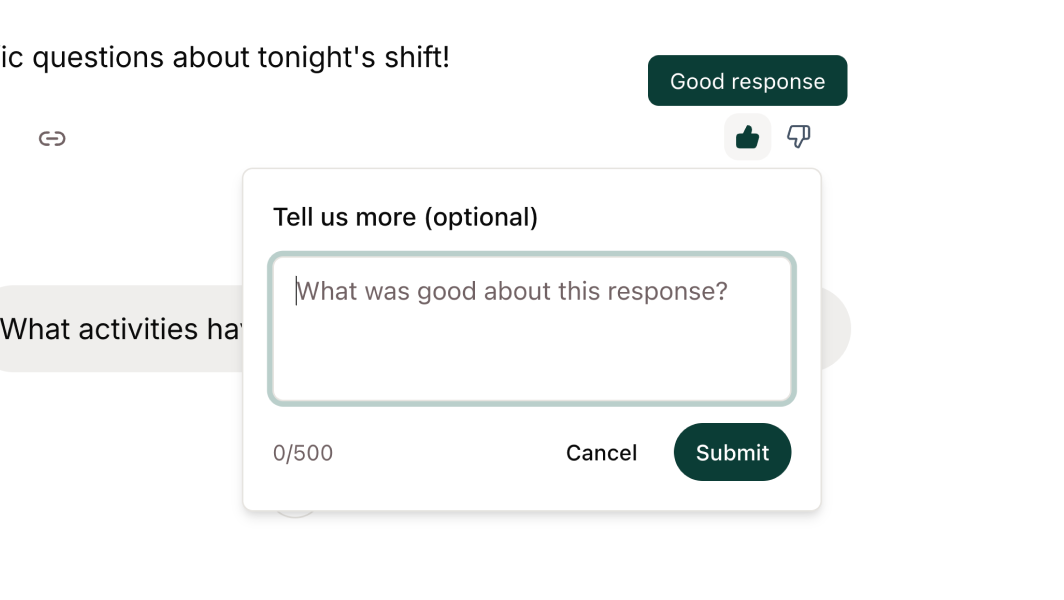
  • Chat message feedback — rate assistant responses with thumbs up/down and optional text feedback, providing a direct signal on AI response quality.
    **Chat message feedback** — rate assistant responses with thumbs up/down and optional text feedback, providing a direct signal on AI response quality.
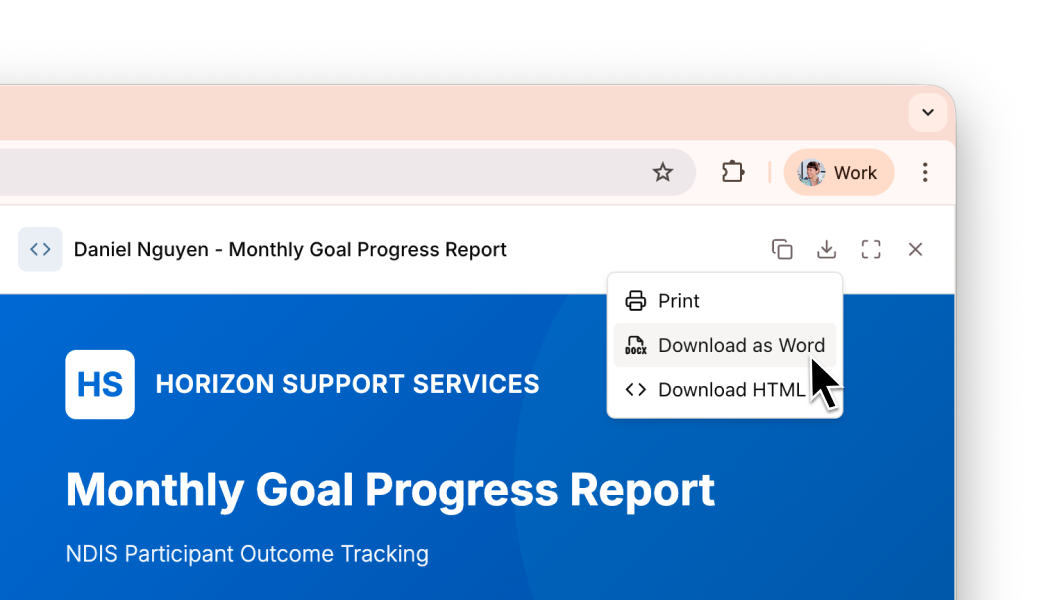
  • Document generation widget — Minis now detect when content needs to be exported (e.g. driving assessments, progress notes) and generate it in a side panel where you can copy, print, save as PDF, or download as a Word document. You can also ask a Mini to generate styled reports and documents as HTML — including logos and images — then view in your browser, print, or download.
    **Document generation widget** — Minis now detect when content needs to be exported (e.g. driving assessments, progress notes) and generate it in a side panel where you can copy, print, save as PDF, or download as a Word document. You can also ask a Mini to generate styled reports and documents as HTML — including logos and images — then view in your browser, print, or download.

Improvements

  • Faster profile pictures — profile pictures now load more efficiently, eliminating unnecessary requests and broken images on page load.
  • Improved session handling — long-running AI responses no longer drop out mid-stream due to session expiry.
  • Dynamic label assignment — labels can now be automatically assigned during data imports based on the record type, reducing manual tagging.
  • Focus states, hover bug fixes, and sidebar alignment improvements across the app.

Bug Fixes

  • Fixed an AI processing error where certain tool interactions were sent without the expected response.
  • Fixed the copy button not working in code blocks.
  • Fixed search returning empty results due to null message field.
  • Fixed legacy Mini authorisation allowing cross-organisation group access.
  • Fixed an error in record history cleanup.
  • Fixed a billing service registration issue that could prevent subscription events from being processed.

Record version history & UI refresh

Track what changed between record edits with a new version history in the activity timeline, plus a visual refresh across the app for better readability and accessibility.

What's New

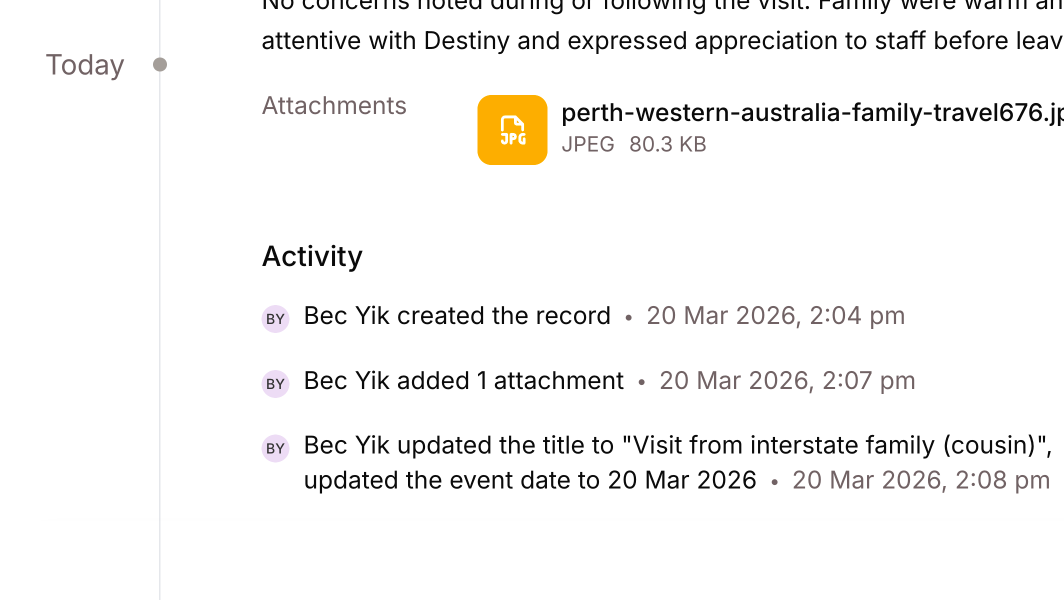
  • Record version history now appears in the activity timeline, showing what changed between each edit — including title, description, labels, event date, attachments, and field changes.
    **Record version history** now appears in the activity timeline, showing what changed between each edit — including title, description, labels, event date, attachments, and field changes.
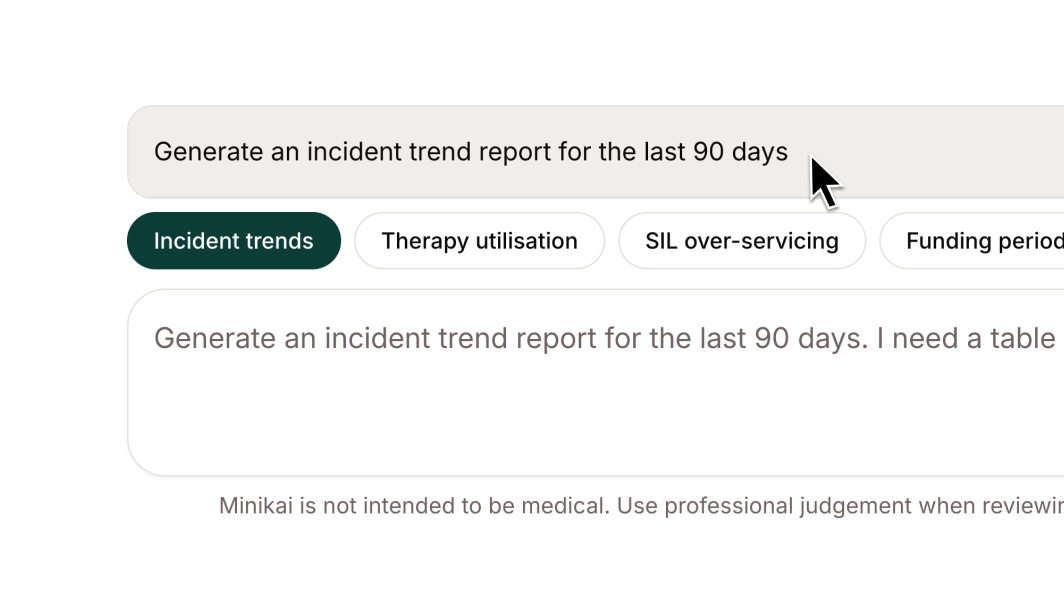
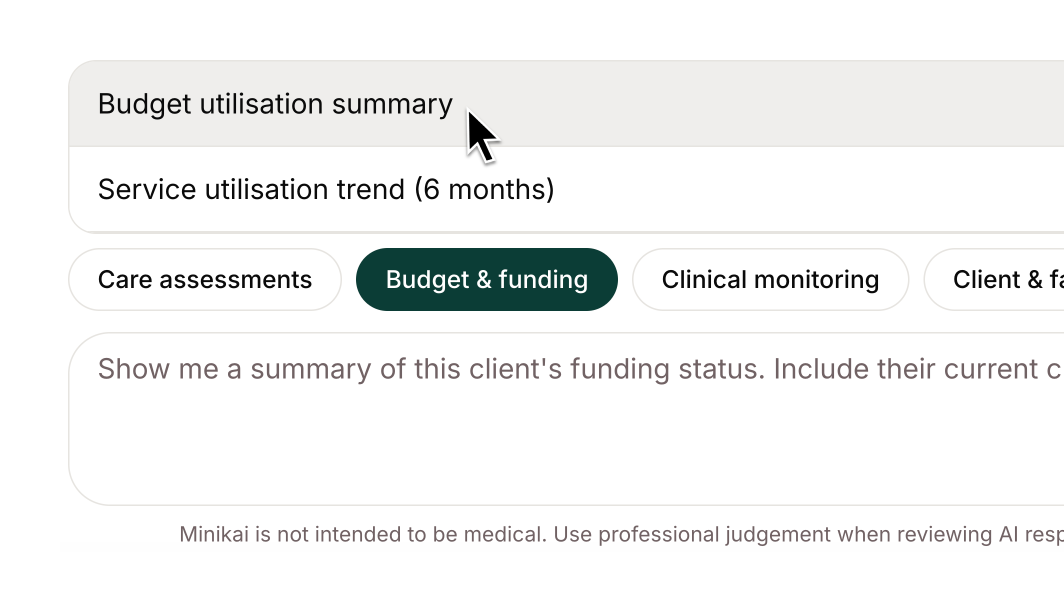
  • New NDIS workspace prompt recommendations help you analyse incident trends, therapy utilisation, SIL over-servicing, compliance audits, and weekly operational summaries.
    **New NDIS workspace prompt recommendations** help you analyse incident trends, therapy utilisation, SIL over-servicing, compliance audits, and weekly operational summaries.
  • Improved workspace agent prompts deliver better response quality, with the search tool renamed to "Search Records" for clarity.
  • Attachment deletions now use a soft delete model — removing an attachment hides it from the record but retains it in history for audit purposes.
  • More accurate AI time-saving estimates for complex information retrieval tasks like multi-record lookups and cross-referencing care plans.

Improvements

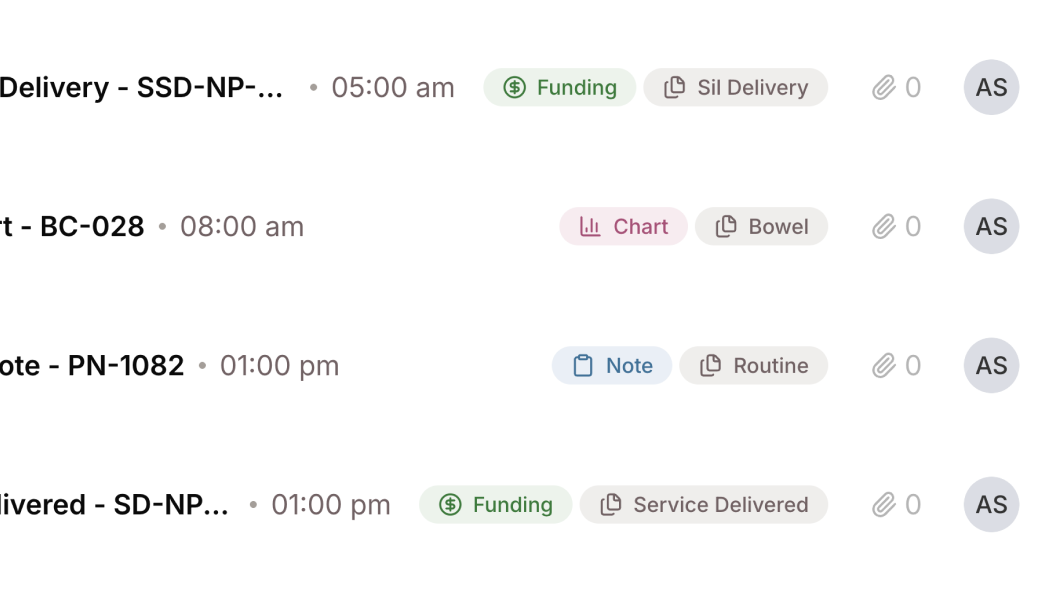
  • Buttons, badges, and labels across the app now use explicit colour states instead of opacity-based hover effects, with redesigned categorical labels for improved consistency and WCAG AA contrast compliance.
    **Buttons, badges, and labels across the app now use explicit colour states** instead of opacity-based hover effects, with redesigned categorical labels for improved consistency and WCAG AA contrast compliance.
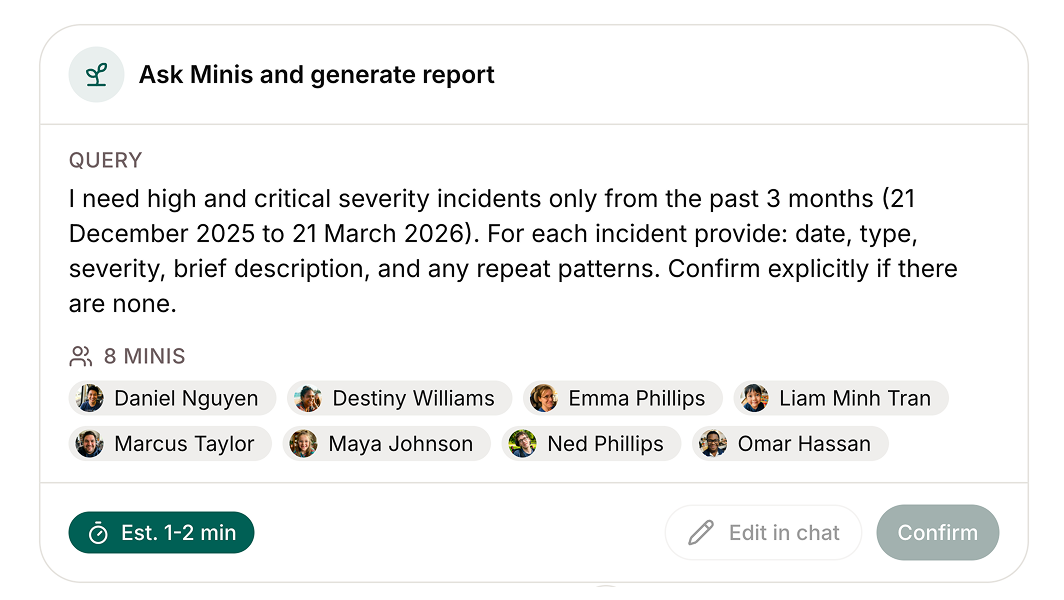
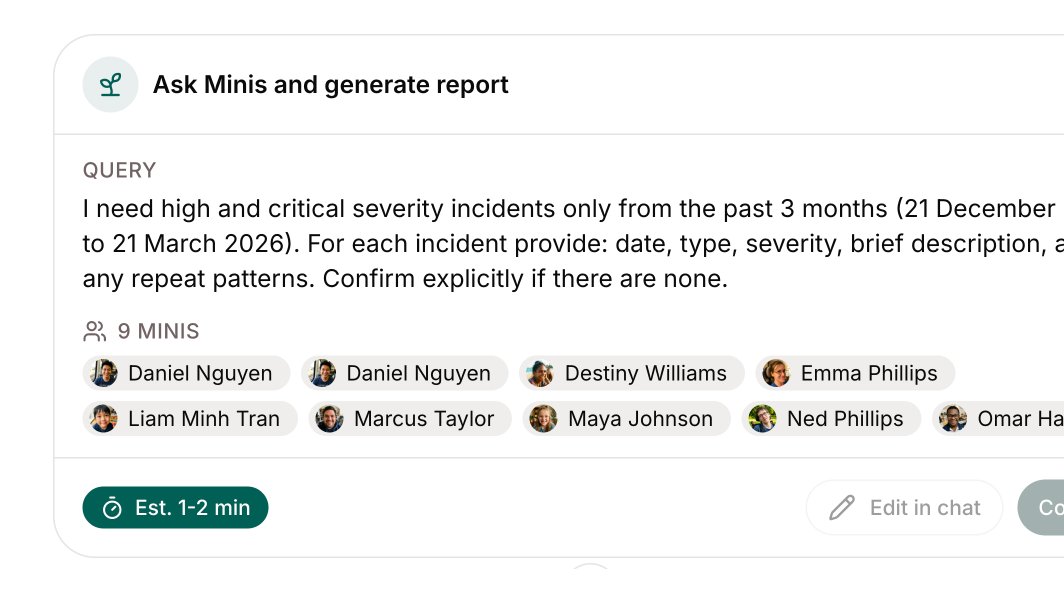
  • Plan widget "Confirm" and "Edit in chat" buttons are now properly disabled while the agent is responding, preventing accidental double-clicks.
    **Plan widget "Confirm" and "Edit in chat" buttons are now properly disabled** while the agent is responding, preventing accidental double-clicks.
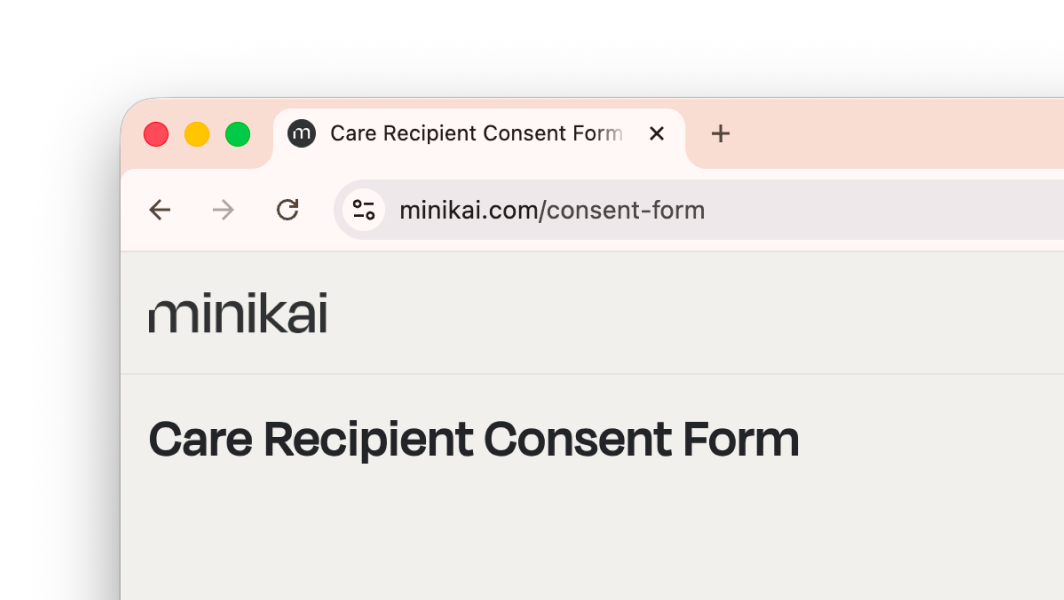
  • Template consent form for care providers — a template consent form is now available via a public link, so care recipients and their authorised representatives can view it directly without a Minikai account. Care providers should adapt the template to their needs and have it signed by the individual or their authorised representative. The form is not submitted to Minikai.
    **Template consent form for care providers** — a template consent form is now available via a public link, so care recipients and their authorised representatives can view it directly without a Minikai account. Care providers should adapt the template to their needs and have it signed by the individual or their authorised representative. The form is not submitted to Minikai.

Bug Fixes

  • Fixed 409 Conflict errors when editing records after they transition from processing to active — the edit panel now stays in sync with the latest record state.
  • Fixed a false error toast that appeared when saving a draft record with an attachment, even though the file uploaded correctly.
  • Fixed the analytics endpoint failing to load on page start.
  • Fixed API schema generation for Uri types and added previously missing record endpoints to the Python SDK.

Rich text records & smarter prompt suggestions

Records now support rich text formatting with headings, bold, italic, and lists, and new prompt recommendations across Support at Home and NDIS workspaces make it easier to get useful answers from the workspace agent.

What's New

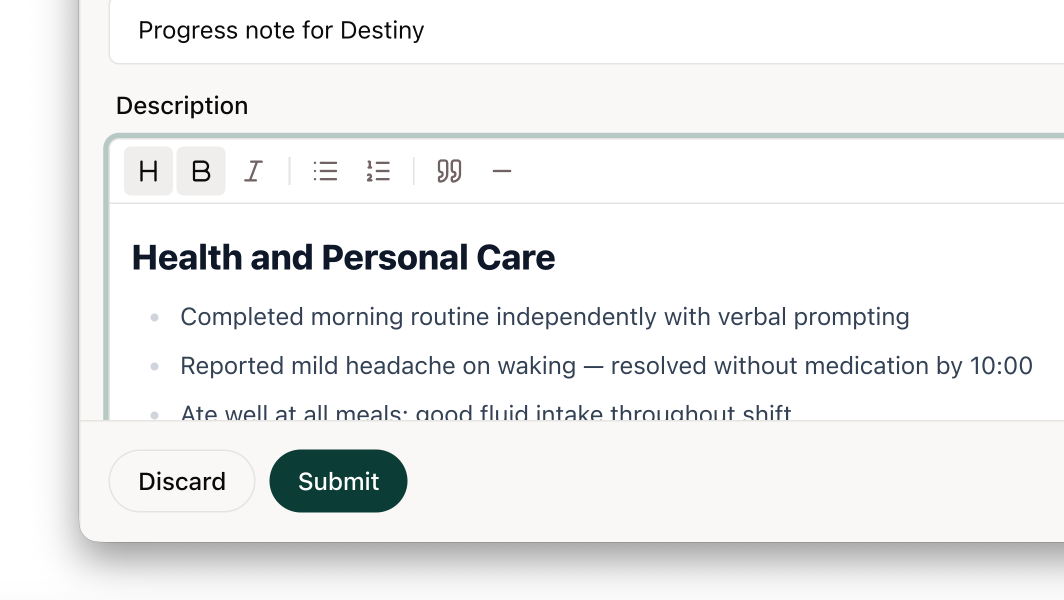
  • Rich text editor for records — supports headings, bold, italic, lists, and Markdown shortcuts. Records in the timeline and citations now render with rich formatting.
    **Rich text editor for records** — supports headings, bold, italic, lists, and Markdown shortcuts. Records in the timeline and citations now render with rich formatting.
  • New prompt recommendations for Support at Home and NDIS workspaces, including a fortnightly family progress report template for generating structured family communications covering health, goals, incidents, and community activities.
    **New prompt recommendations for Support at Home and NDIS workspaces**, including a fortnightly family progress report template for generating structured family communications covering health, goals, incidents, and community activities.

Improvements

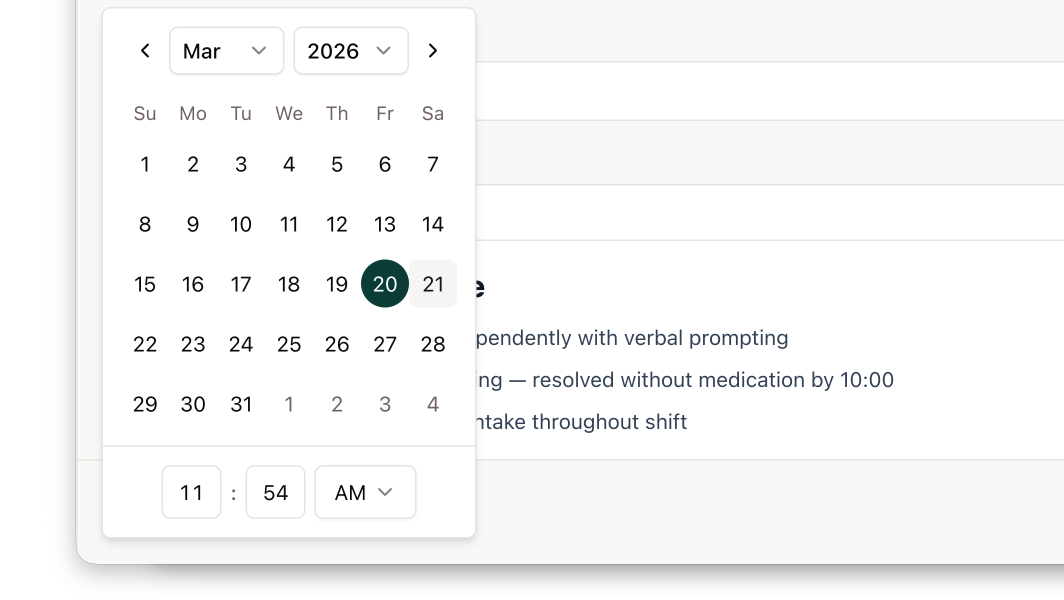
  • Date and time fields are now combined into a single picker for faster data entry — no need for second-level precision.
    **Date and time fields are now combined into a single picker** for faster data entry — no need for second-level precision.
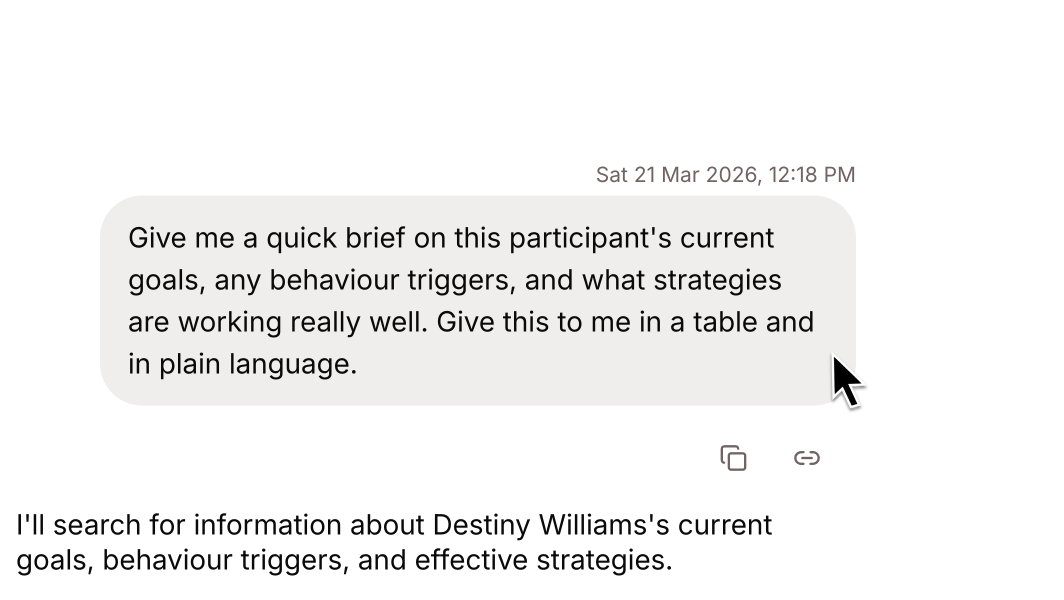
  • Chat messages now show timestamps on hover and date separators between sessions, making it easier to navigate long conversations.
    **Chat messages now show timestamps on hover** and date separators between sessions, making it easier to navigate long conversations.
  • Updated focus styling across all interactive elements for better keyboard accessibility.
  • Workspace agent reasoning and chain-of-thought is now enabled, with the preview banner repositioned so it no longer obscures timeline actions.

Bug Fixes

  • Fixed a layout shift that occurred when hovering over chat messages to reveal timestamps.

Agent citations & confirmation prompts

The workspace agent now cites its sources with inline links and asks for confirmation before running complex queries across multiple Minis, giving you more control and transparency over what it does.

What's New

  • The workspace agent now asks for confirmation before running complex queries across multiple Minis — you see a summary of what it's about to do and can edit before it executes.
    **The workspace agent now asks for confirmation** before running complex queries across multiple Minis — you see a summary of what it's about to do and can edit before it executes.
  • Workspace agent responses now include inline citations linking directly to the source records it references. Follow-up questions about cited records work more reliably.
    **Workspace agent responses now include inline citations** linking directly to the source records it references. Follow-up questions about cited records work more reliably.
  • Terms of service and privacy policy are now accessible directly from the homepage with comprehensive content and section linking.

Improvements

  • HTML attachments on records now open in a new browser tab instead of triggering a download.
  • Tooltips on prompt recommendations are now instant. Copy buttons and the collapse sidebar button have improved hover states.

Bug Fixes

  • Draft record saves no longer create duplicate history entries.

Prompt recommendations & reliable record deletion

Four new AN-ACC prompt recommendations help residential aged care users with reclassification scanning, My Aged Care submissions, assessment preparation, and evidence compilation. Record deletion on the timeline is now more reliable across all record states.

What's New

  • Four new AN-ACC prompt recommendations for residential aged care: workspace-wide reclassification opportunity scanning, My Aged Care portal submission drafting, upcoming assessment preparation, and individual evidence bundle compilation.
  • Record deletion on the timeline is now more reliable and consistent, using improved state-dependent behaviour across draft, active, and archived records.

Improvements

  • Records and Minis now enforce version checking on save — if someone else has modified a record since you loaded it, you'll see a clear prompt to refresh rather than silently overwriting their changes.

Bug Fixes

  • Fixed profile pictures not displaying for users without admin permissions — avatars would fall back to initials even when a photo had been uploaded.
  • Fixed archived records showing an empty state incorrectly, which also blocked the status filter from being toggled.
  • Fixed duplicate attachments being created on care plan records during sync cycles.
  • Fixed "unknown user" displaying on certain timeline activity entries.

Expanded prompt recommendations

Expanded and refined prompt recommendations across residential aged care, NDIS, and support at home workspaces, with new prompts for geriatrician reviews, fortnightly progress reports, and SOAP-formatted handover summaries.

What's New

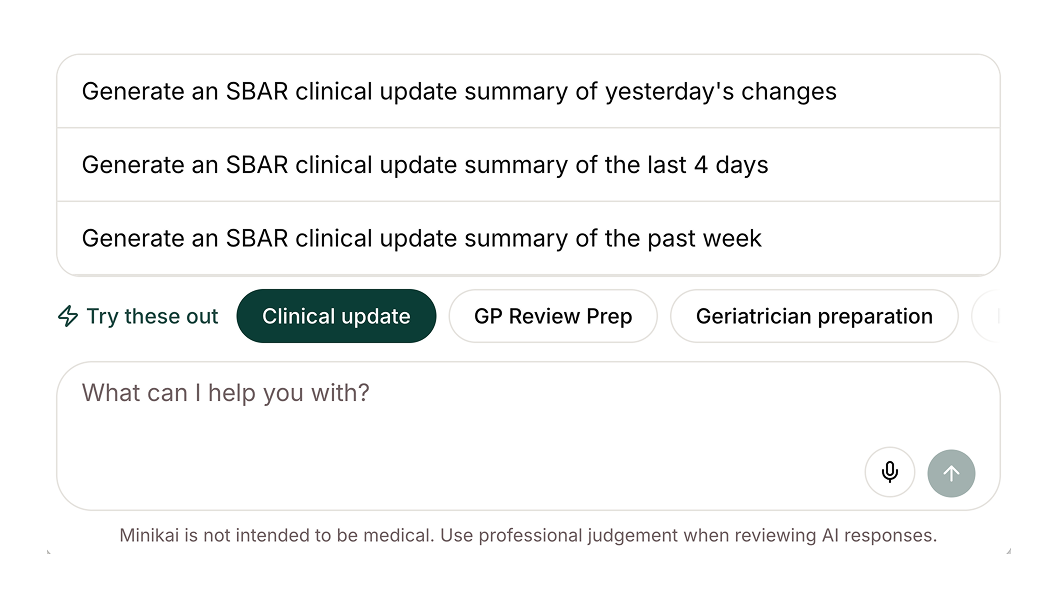
  • Expanded and refined prompt recommendations across residential aged care, NDIS, and support at home workspaces — including a new "Geriatrician review" prompt covering four weeks of condition changes, incidents, medication changes, vitals trends, and nursing concerns.
  • New NDIS "Draft a fortnightly progress report" prompt under Family comms, plus clearer user-oriented titles throughout.
  • Support at home workspaces now use SOAP-formatted prompts for handover and progress reports instead of the default SBAR format.
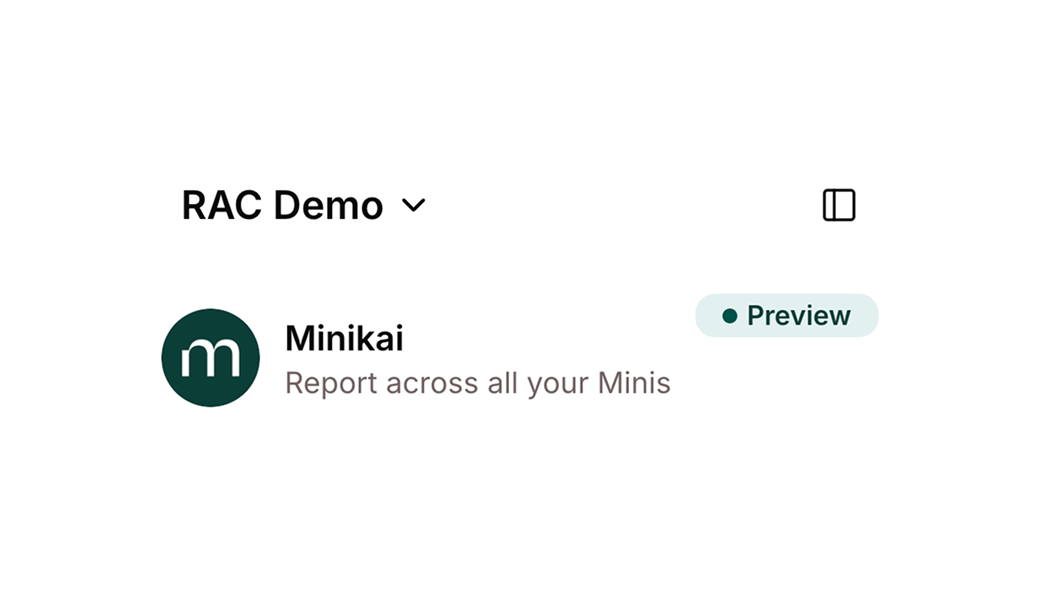
  • "Preview" badge added to the Ask Minikai panel and sidebar, signalling the feature is in preview.

Bug Fixes

  • Fixed analytics tracking that had stopped working since late February — all events are now fully operational.
  • Fixed token refresh failures during long streaming responses that were causing "Failed to save chat messages" errors.
  • Fixed an issue where the chat could stop responding during long streaming responses.

Minikai Agent & action-oriented prompts

A new agent foundation lets the workspace agent query multiple Minis in parallel to pull together answers from different sources — the foundation for cross-Mini intelligence. Prompt recommendations are now action-oriented to help you get things done faster.

What's New

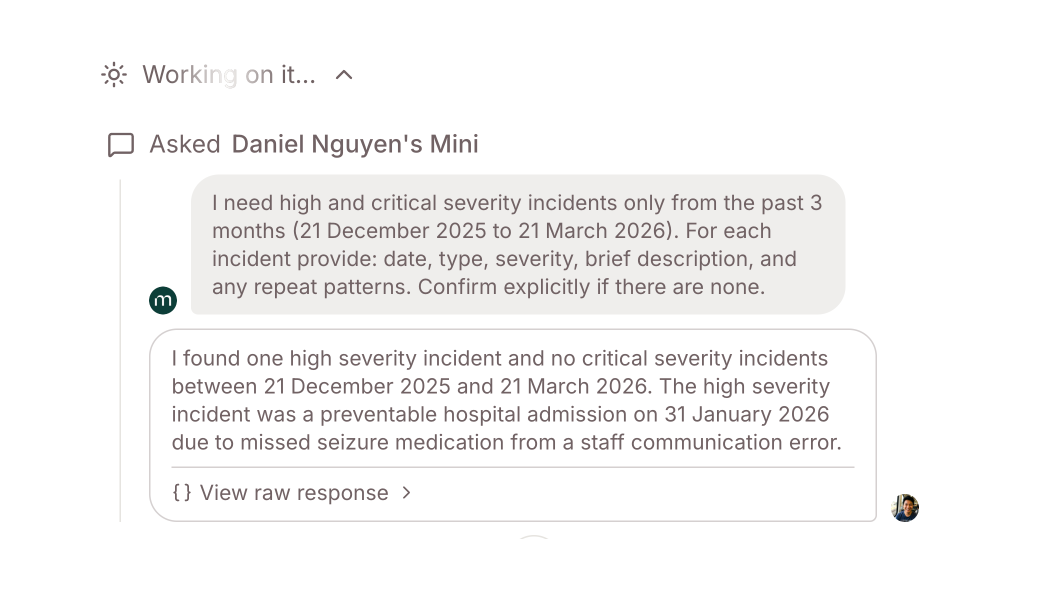
  • The workspace agent can now query multiple Minis in parallel to pull together answers from different sources — the foundation for cross-Mini intelligence.
    **The workspace agent can now query multiple Minis in parallel** to pull together answers from different sources — the foundation for cross-Mini intelligence.
  • Prompt recommendations are now action-oriented with descriptive phrases (e.g., "Generate an SBAR handover summary of yesterday's changes") instead of short labels, making it clearer what each prompt does.
    **Prompt recommendations are now action-oriented** with descriptive phrases (e.g., "Generate an SBAR handover summary of yesterday's changes") instead of short labels, making it clearer what each prompt does.

Improvements

  • Base Mini instructions have been improved — cited records now stay in context properly across the conversation.
  • The homepage contact section has been renamed from "Help & support" to "Help Desk" for brand consistency.

Improved AI search citations

AI search results now cite specific records by name, and citations persist across your entire conversation so follow-up questions about previously cited records work reliably.

Improvements

  • AI search citations now reference specific records by name and persist across the full conversation, so follow-up questions about previously cited records work reliably.
  • Error states in chat have been redesigned to be more informative, with improved error messages across the platform.

Edit records, groups management & attachments

Edit records directly in the timeline without leaving the page, manage groups from a dedicated page with full create, edit, and organise capabilities, and upload file attachments right within the record widget.

What's New

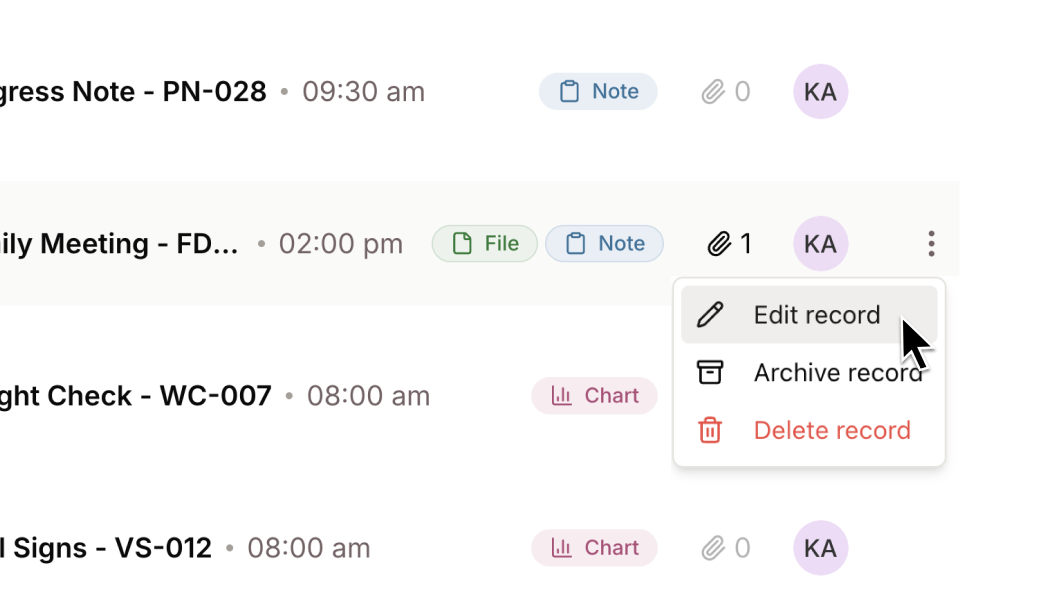
  • Edit records directly in the timeline without leaving the page — previously, records were read-only once created.
    **Edit records directly in the timeline** without leaving the page — previously, records were read-only once created.
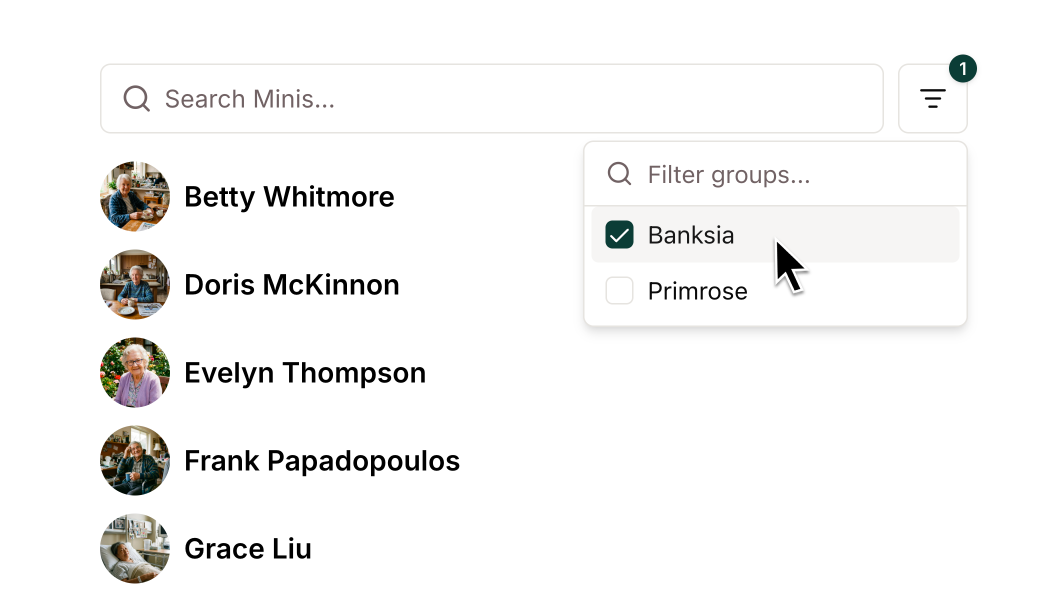
  • Groups management has moved to a dedicated page with full create, edit, and organise capabilities. The sidebar has been simplified to show only Minis, with a new group filter for quick navigation.
    **Groups management** has moved to a dedicated page with full create, edit, and organise capabilities. The sidebar has been simplified to show only Minis, with a new group filter for quick navigation.
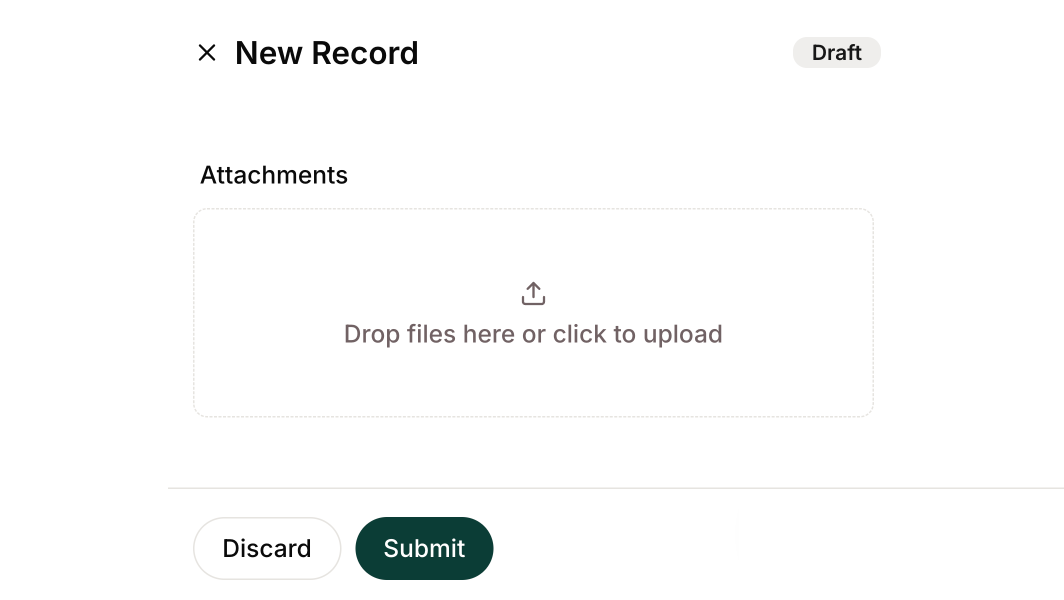
  • Upload file attachments directly when creating or editing records, right within the record widget.
    **Upload file attachments** directly when creating or editing records, right within the record widget.
  • AI search now cites specific records by name, and cited records stay in context across the conversation for more reliable follow-up questions.
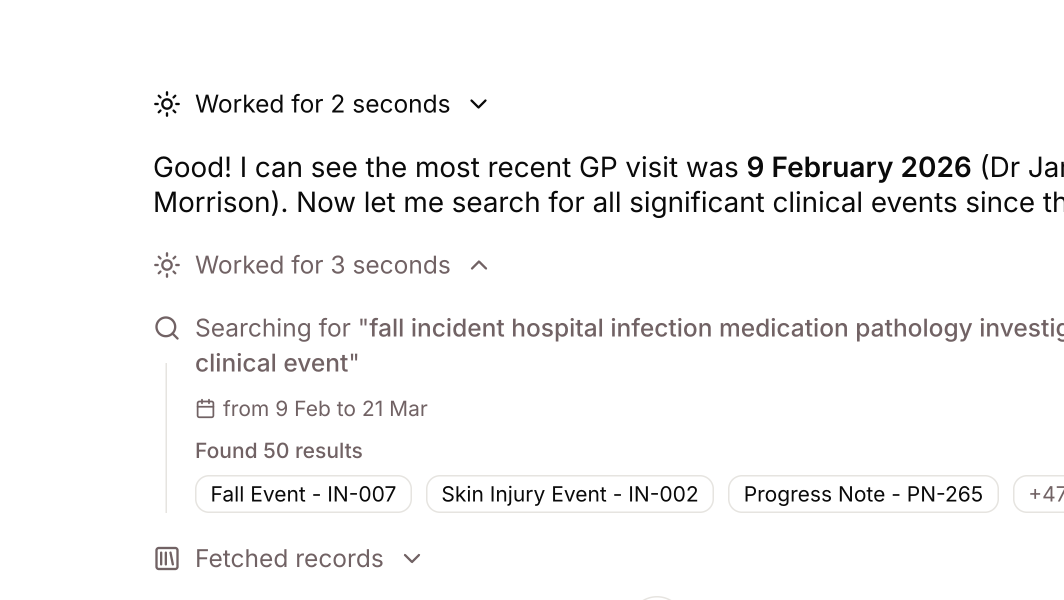
  • The Mini's search and reasoning process now has a clearer layout, showing what it's searching for and how it's working through a query.
    **The Mini's search and reasoning process** now has a clearer layout, showing what it's searching for and how it's working through a query.

Improvements

  • Standardised record state badges across the app for consistency.
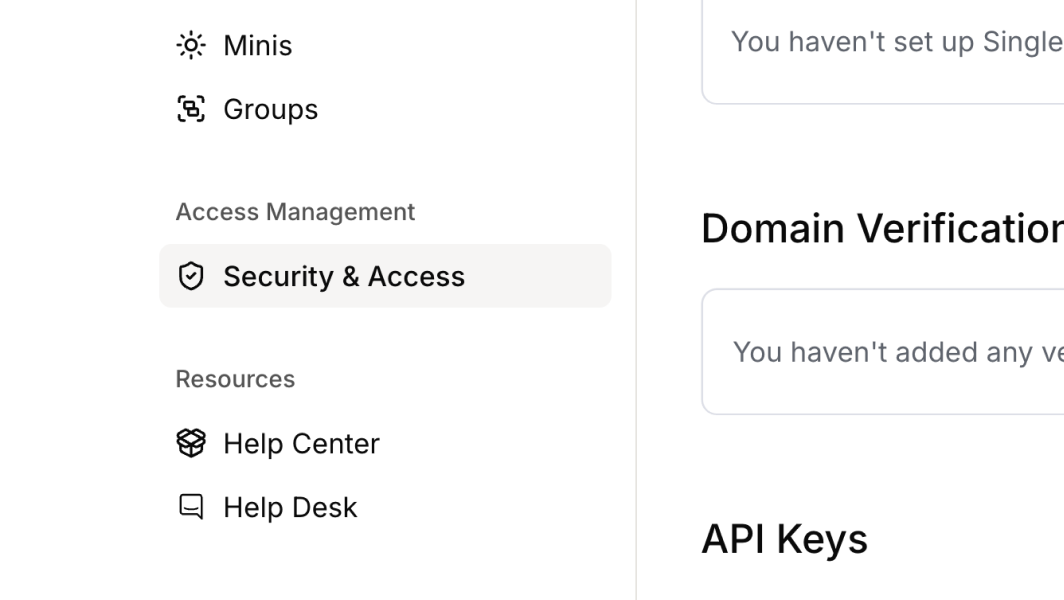
  • Security & Access settings consolidated into a single page for a simpler admin experience.

Mini page redesign

The Mini page has been completely redesigned with a cleaner layout, faster load times, and the ability to switch between chat and timeline while messages are sending.

What's New

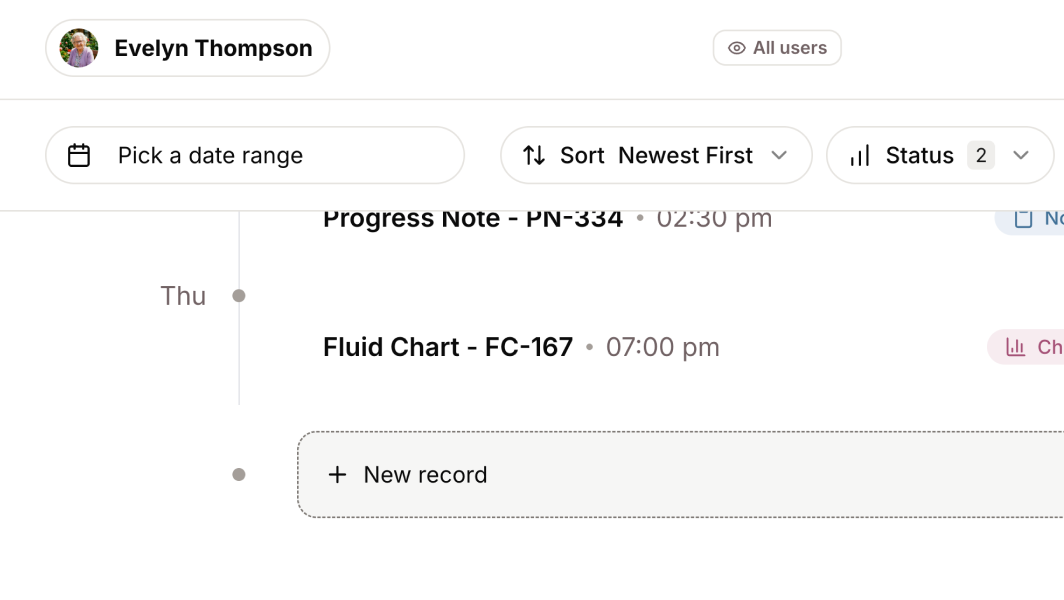
  • Redesigned Mini page with a cleaner layout: "Create Record" button moved to the bottom of the timeline, overview panel opens as a full page with more space to view Mini details, faster load times, and the ability to switch between chat and timeline while messages are sending.
    **Redesigned Mini page** with a cleaner layout: "Create Record" button moved to the bottom of the timeline, overview panel opens as a full page with more space to view Mini details, faster load times, and the ability to switch between chat and timeline while messages are sending.

Improvements

  • Bulk document uploads are now smoother and more reliable when adding multiple files at once.

Bug Fixes

  • Fixed search date filters not respecting your timezone — dates are now interpreted in local time instead of defaulting to UTC.

Workspace admin & draft emails

A new Workspace Admin page brings user management, Mini configuration, and security settings into a single place. Plus, you can now draft emails directly in chat — compose, review, edit, and send without leaving the conversation.

What's New

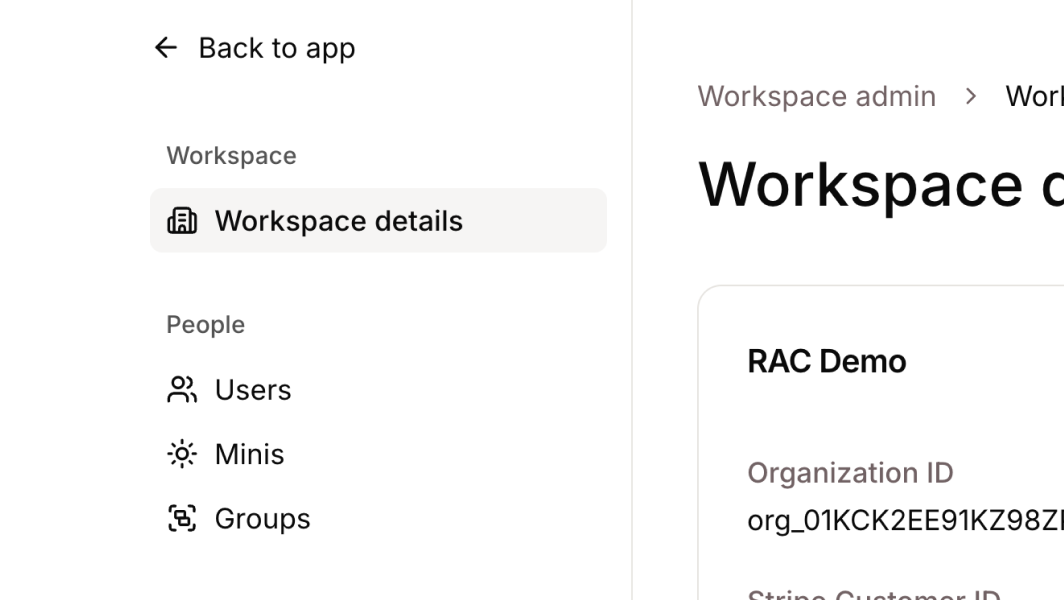
  • New Workspace Admin page brings user management, Mini configuration, and security settings into a single place. Admins can invite team members, update roles, manage Minis, organise them into groups, bulk import Minis from a spreadsheet, and access audit logs.
    **New Workspace Admin page** brings user management, Mini configuration, and security settings into a single place. Admins can invite team members, update roles, manage Minis, organise them into groups, bulk import Minis from a spreadsheet, and access audit logs.
  • Security and access features available through Workspace Admin — including single sign-on (SSO), domain verification, audit logs, and log streams for sending activity data to security tools.
    **Security and access features** available through Workspace Admin — including single sign-on (SSO), domain verification, audit logs, and log streams for sending activity data to security tools.
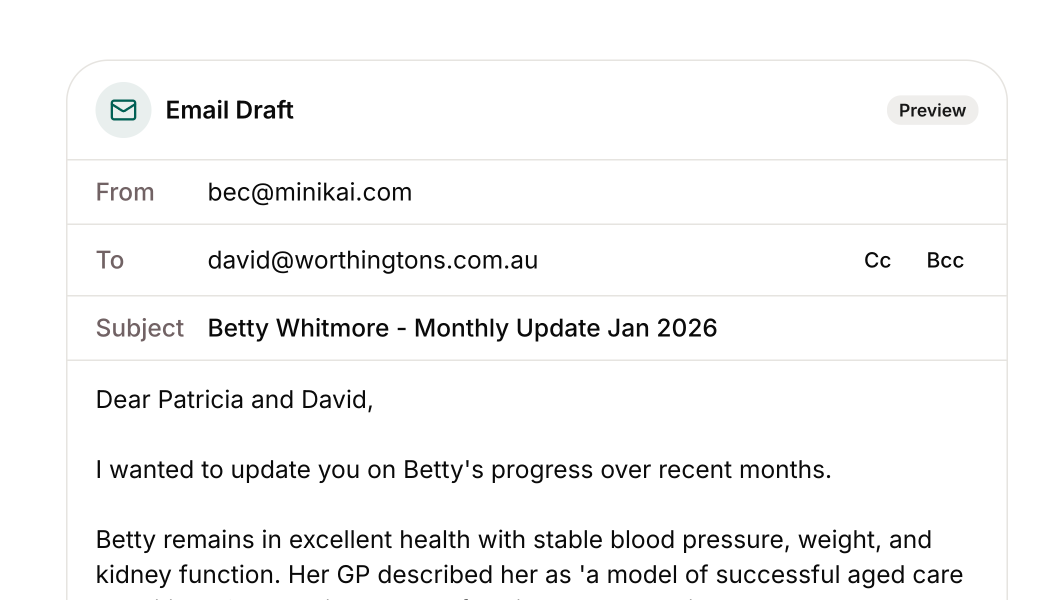
  • Draft emails directly in chat — ask your Mini to compose an email, review the draft, make edits, and send it without leaving the conversation.
    **Draft emails directly in chat** — ask your Mini to compose an email, review the draft, make edits, and send it without leaving the conversation.

Improvements

  • Permissions have been simplified. Organisation roles are now the standard way to control what people can do, and all admins now have manage records permissions by default.

Expanded AI model support & batch records

Claude Sonnet is now deployed to the platform for improved response quality, and batch record creation lets you add multiple records in one step.

What's New

  • Expanded AI model support with Claude Sonnet deployed to the platform, bringing improved response quality and broader capabilities.
  • Batch record creation lets you add multiple records in one step via a new API endpoint.
  • Profile picture caching improves load performance across the app.

Bug Fixes

  • Fixed citations not appearing after refreshing the page.
  • Fixed errors when using the search tool with empty queries.

Mini creation, profiles & view memories

Simplified Mini creation and better visibility into how Minis work — create a Mini with just a name, view its profile and memories, and see which groups it belongs to.

What's New

  • Simplified Mini creation — create a Mini with just a name, upload a profile picture, and start using it immediately. Additional details can be added later.
  • View Mini profiles from the chat interface — see the Mini's instructions (system prompt) that guide its responses, view memories formed from conversations, and see which groups the Mini belongs to.

Record keeping on the timeline

A new timeline view shows all your customer records in one chronological feed, and you can now create records with the help of a Mini whenever you need to capture information.

What's New

  • Timeline view — all records appear chronologically in one feed, including progress notes, charts, assessments, care plans, and incidents. Filter by record type, author, or date range to quickly find what you need.
  • Create a record from the chat window — add event date, title, notes, labels (like "progress note" or "assessment") and upload attachments. Drafts stay private until you're ready to submit.

Inline citations & records updates

Minis now reference sources using inline citations, and a unified record system powers clearer, more reliable documentation.

What's New

  • Inline citations — Minis can now cite records inline in their responses. Citations can be opened in a preview without leaving the chat, with clear labels (e.g. Assessment, Incident Report) and metadata like date and file type.
  • Forms and files are now records with consistent fields including searchable metadata such as title, labels, date, and status — improving search accuracy and enabling inline citations.

A simpler way to chat & organise

Conversations with Minis are more seamless with an infinite chat timeline, and admins can set up Minis and groups faster from a redesigned sidebar.

What's New

  • Infinite chat timeline — every Mini now has one ongoing conversation history. Past conversations are no longer separate sessions, everything is scrollable. Deep links can take you to a specific message with context before and after.
  • Sidebar improvements — the sidebar now lists Minis directly (not chats), admins can create a new Mini or Group right from the sidebar, and Minis and Groups appear together sorted by recent activity.

Mini Memories & Help Centre

Mini Memories let Minis understand and adapt to different staff types, and an enhanced Help Centre brings in-app chat support and smart search suggestions.

What's New

  • Mini Memories — set preferences like "When I ask for a recent summary, I want the last 48h focusing on BSL, mobility, and PRNs" and the Mini remembers for future requests. Saves time during MDT handovers and improves care documentation quality.
  • Help Centre & in-app support — access getting started guides, FAQs, and a status page. Chat with the support team directly in-app, get smart search suggestions, and receive proactive notifications for feature launches and known issues.

Speech-to-Text & SCIM support

Voice interaction and automated user provisioning — dictate messages and notes to Minis via a microphone button, and sync users automatically from your identity provider.

What's New

  • Voice input (Speech-to-Text) — a microphone button in the chat interface allows real-time transcription of spoken queries, notes, or longer dictations like case notes or incident descriptions.
  • SCIM user provisioning — automatic synchronisation with central directories (Azure AD, Okta, OneLogin) to keep user lists current, streamline onboarding, and deactivate access for departing staff.

Improvements

  • AI models fine-tuned for aged care terminology recognition, including medication names and facility acronyms.
  • Backend infrastructure upgraded, delivering approximately 15% faster average response times on chat queries.

Advanced Knowledge Search

Minis are now aware of dates and timeframes in your data — ask about "falls in the past week" or "last June's incident reports" and get precise, time-filtered results.

What's New

  • Date-filtered knowledge search — Minis now understand temporal constraints in queries, both explicit ("incidents in April 2025") and implicit ("recently", "last quarter"). Results are filtered by time for more precise and relevant answers.

Improvements

  • Smarter date queries with better comprehension of natural language time phrases.
  • Eliminated duplicate Mini entries when integrating multiple systems through improved sync logic.
  • Enhanced data syncing and indexing performance — large imports now execute faster with robust error handling.

Bug Fixes

  • Fixed date picker timezone alignment issues in knowledge search filters.

Submit Forms & SSO support

Minis can now present and help fill out forms through the chat interface, and Minikai supports Single Sign-On via OAuth 2.0 and OpenID Connect.

What's New

  • Interactive form assistance — request a form like an incident report and the Mini guides you conversationally through required fields, auto-filling and submitting the completed form to the knowledge base.
  • Single Sign-On (SSO) via OAuth 2.0 and OpenID Connect — authenticate using existing organisational credentials (Azure AD, Google Workspace, Okta) without managing separate Minikai passwords.

Improvements

  • Enhanced knowledge base search performance, particularly for form-related queries.
  • Clearer timestamps on submitted forms and loading indicators during form generation.

Bug Fixes

  • Fixed long text inputs in chat sometimes not saving correctly — multi-paragraph notes now capture fully.

Welcome to your Minis

The launch of Minikai — dedicated AI assistants called "Minis" for each client, with document uploads and user access management.

What's New

  • AI Minis for each client — create a dedicated Mini for each resident or participant. Each Mini serves as that person's virtual advocate, holding all their relevant care documents and information.
  • Knowledge base document uploads — upload care plans, assessments, progress notes, policies, and more into a Mini's knowledge base. The Mini indexes these documents and uses them to answer questions or generate reports.
  • User groups & sharing controls — manage access to Minis through flexible user groups and sharing settings. Share organisation-wide, with specific teams, or keep private to certain staff.

Improvements

  • Improved mobile responsiveness for using Minis on tablets and phones.

Contact us

We're here to help you

Our dedicated team is here to ensure you feel completely confident using Minikai.

Sales

Our team is ready to chat about how Minikai fits your needs, from pricing and plans to a live demo.

Start the conversation

Help Desk

Whether you need a quick answer, help resolving an issue, or want to share valuable feedback.